Add your invoicing details
Before you can create a quote or invoice, workauto needs to know which company details to show on it. You only need to do this once.
Go to Settings and open the Invoicing tab. Fill in:
- Company name
- Contact email
- VAT number (optional)
- Company address
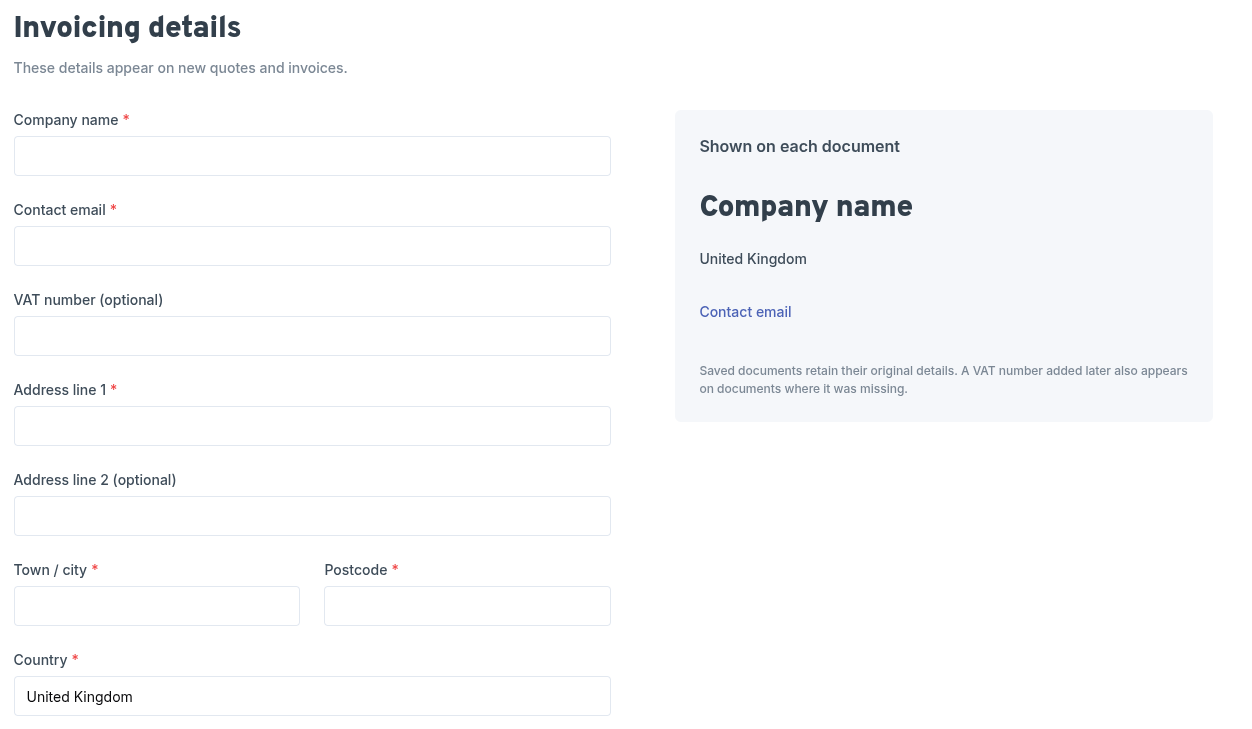
As you type, the preview on the right shows how your details will appear on each document. Click Save details when you are done.
info
If you try to create a quote or invoice before adding these details, workauto will prompt you to add them first, with a link straight to the Invoicing settings.
tip
Saved documents keep the company details they were created with, so changing your address later won't alter invoices you have already sent. The one exception is your VAT number: if you add one later, it will also appear on older documents that didn't have one.