View, edit and export
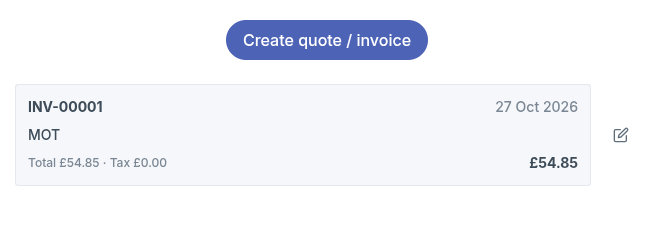
Every saved quote or invoice is listed in the job's Quote / Invoice tab and in the customer's Quotes / Invoices tab.
Export a PDF
- From a job: click View / export PDF.
- From a customer: click the invoice in the list.
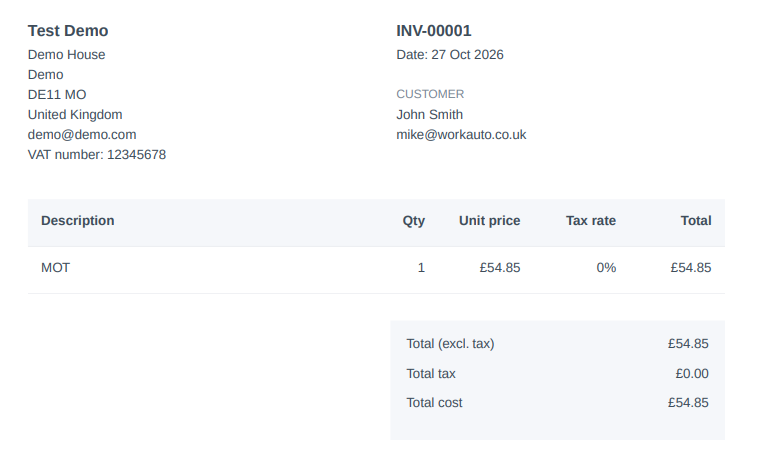
The PDF opens with your company details, the customer's details, any linked job references, each line item, and totals for net, tax and gross. You can download it, print it or email it to your customer.
Edit
Click Edit on a job, or the edit icon next to an invoice in the customer list, to change the line items or linked jobs. Then click Save invoice.
If someone else has changed the same invoice since you opened it, workauto will ask you to reload it before saving. This stops anyone's changes being overwritten.
Invoice numbers
Each document gets its own number automatically, in order: INV-00001, INV-00002, and so on. The date is set to the day the document was created.
Creating an invoice doesn't add the Invoiced tag to a job. Add the tag yourself when the job has been billed, so the job no longer shows in the Jobs Not Invoiced report.