Create the invoice
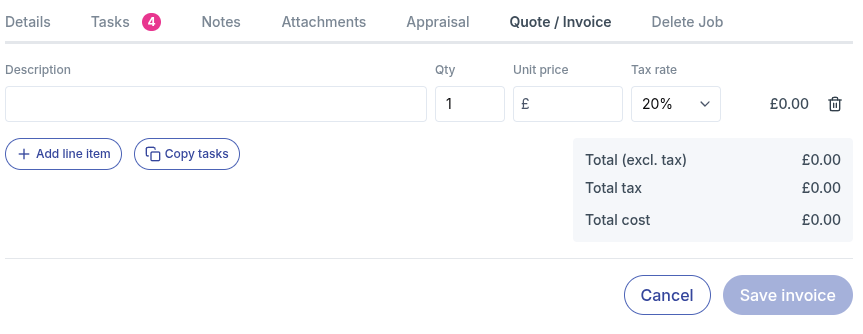
Back in the office, open the job and go to the Quote / Invoice tab.
- Click Create quote / invoice. The job is linked automatically.
- Click Copy tasks. Every task on the job is added as a line item, in the same order as on the job.
- Add a Unit price to each line. Change the Qty if needed, for example to the number of hours of labour, and set the Tax rate to 0% for anything zero-rated.
- Click Add line item for anything that isn't a task, such as parts, fluids or disposal fees.
- Check the totals and click Save invoice.
tip
Invoicing several jobs for the same customer together? Create the invoice from the customer's Quotes / Invoices tab instead, link the jobs, then click Copy tasks to pull in the tasks from all of them. Invoice several jobs together.