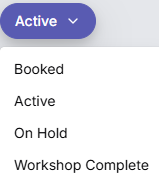
Classify jobs by their status
tip
It's really important to keep job statuses up to date. TechView filters jobs by status, so if a technician forgets to update a status, jobs can disappear from the wrong view or appear where they shouldn't.
The techview provides different views based on the status of jobs. These views help technicians quickly find and manage their tasks. There is a toggle switch at the top of the techview to switch between jobs allocated to "Me" (the logged in technician) and "All" (all technicians).
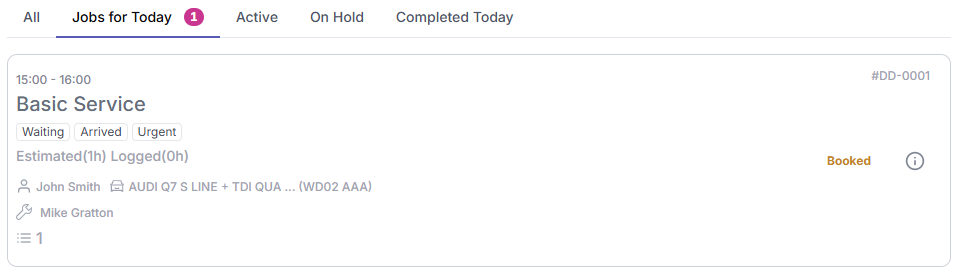
- All: This view shows all jobs that are currently assigned to the technician, regardless of their status.
- Jobs for Today: This view shows jobs that are scheduled for the current day. These jobs have been booked into the planner for today.
- Active: This view shows jobs that are currently being worked on. These jobs have the status "Active".
- On Hold: This view shows jobs that are currently on hold. These jobs have the status "On Hold" and cannot proceed until a specific issue is resolved.
- Completed Today: This view shows jobs that have been completed today. These jobs have the status "Workshop Complete" or "Job Finished".
When you are in the actual job, you use this button to assign the correct status