Completing the appraisal in TechView
Once a VHC has been added to a job, the technician can complete it from within TechView. Open the job and go to the Appraisal tab.
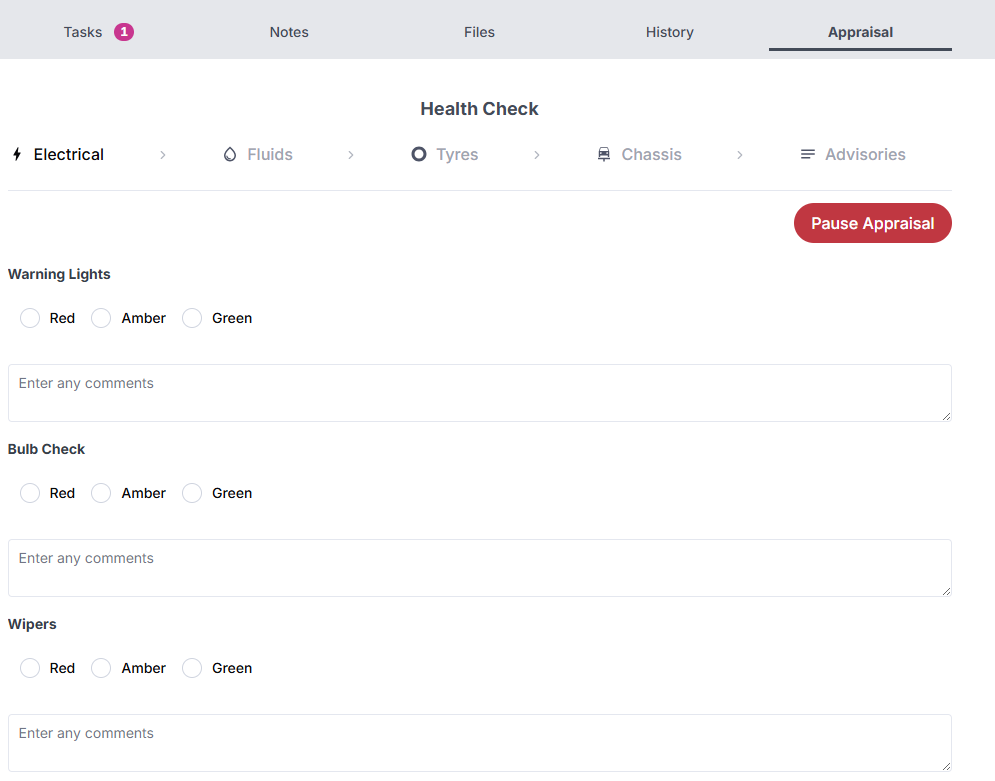
The appraisal is divided into sections that cover different areas of the vehicle:
- Electrical — Warning lights, bulb check, wipers, and other electrical items
- Fluids — Oil, coolant, brake fluid, and other fluid levels
- Tyres — Condition and tread depth for each tyre
- Chassis — Brakes, suspension, steering, and related components
- Advisories — Any additional notes or recommendations
For each item, select a Red, Amber, or Green rating to indicate its condition, and add any relevant comments in the text field below.
Work through each section in turn using the navigation at the top of the appraisal. Once all sections are complete, submit the appraisal to mark it as done.
tip
You can pause an appraisal at any time using the Pause Appraisal button and return to it later.