Reference Glossary Reminders
Email and SMS reminders are both supported. SMS requires the customer to have a valid phone number on file.
Vehicle Reminders
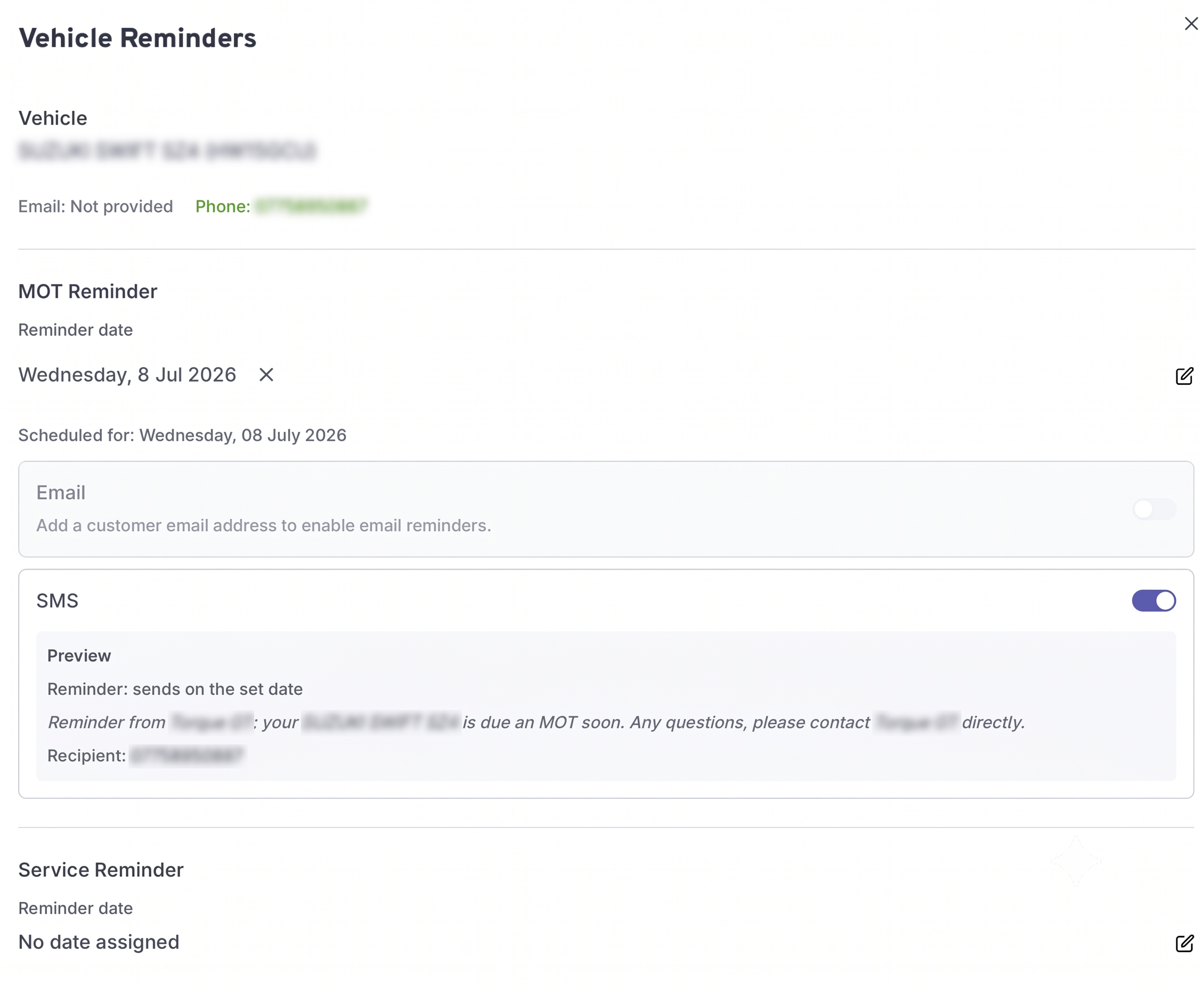
You can set up email and/or SMS reminders for a vehicle, which are MOT or service reminders. These reminders can be set to notify your customer a certain number of days before the due date.
Your customer must have a valid email address and/or phone number for the corresponding channel to be enabled. These are per vehicle not per customer, so can be found in the Vehicles tab of the customer profile.
Reminders are set per vehicle, not per customer. You can set both an MOT and a Service reminder on the same vehicle independently, and choose email, SMS, or both for each.
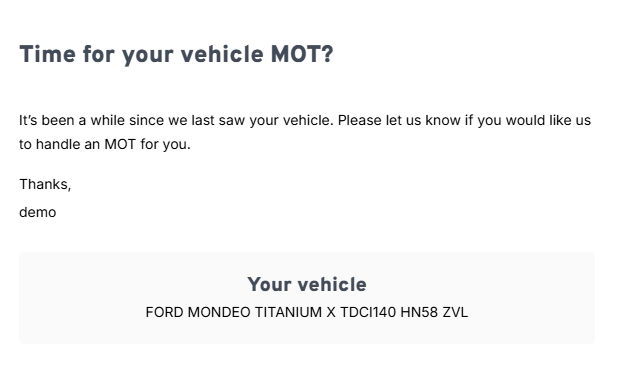
This is how the reminder email looks for an MOT (service reminder is very similar)
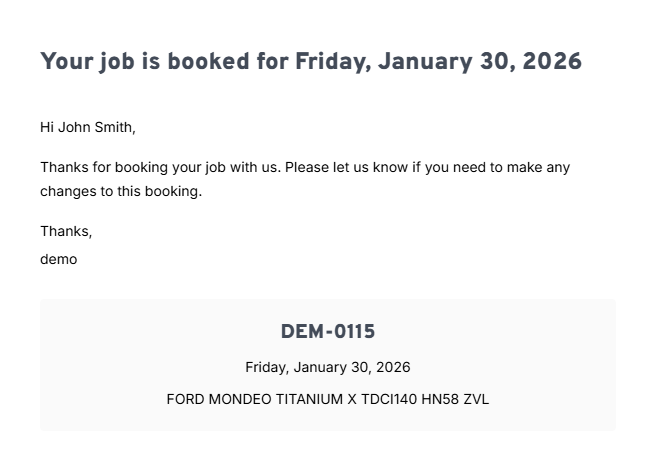
Booking Confirmation/Reminders
You can also set booking confirmations on a job level, when you add the customer and vehicle to the job, you can enable the channels you want to use. This will send them a booking confirmation and a reminder 2 days before the job.
SMS Reminders
If the customer has a phone number, you can enable SMS as a channel alongside or instead of email. The customer will receive a booking confirmation text shortly after booking, and a reminder text 2 days before the job.
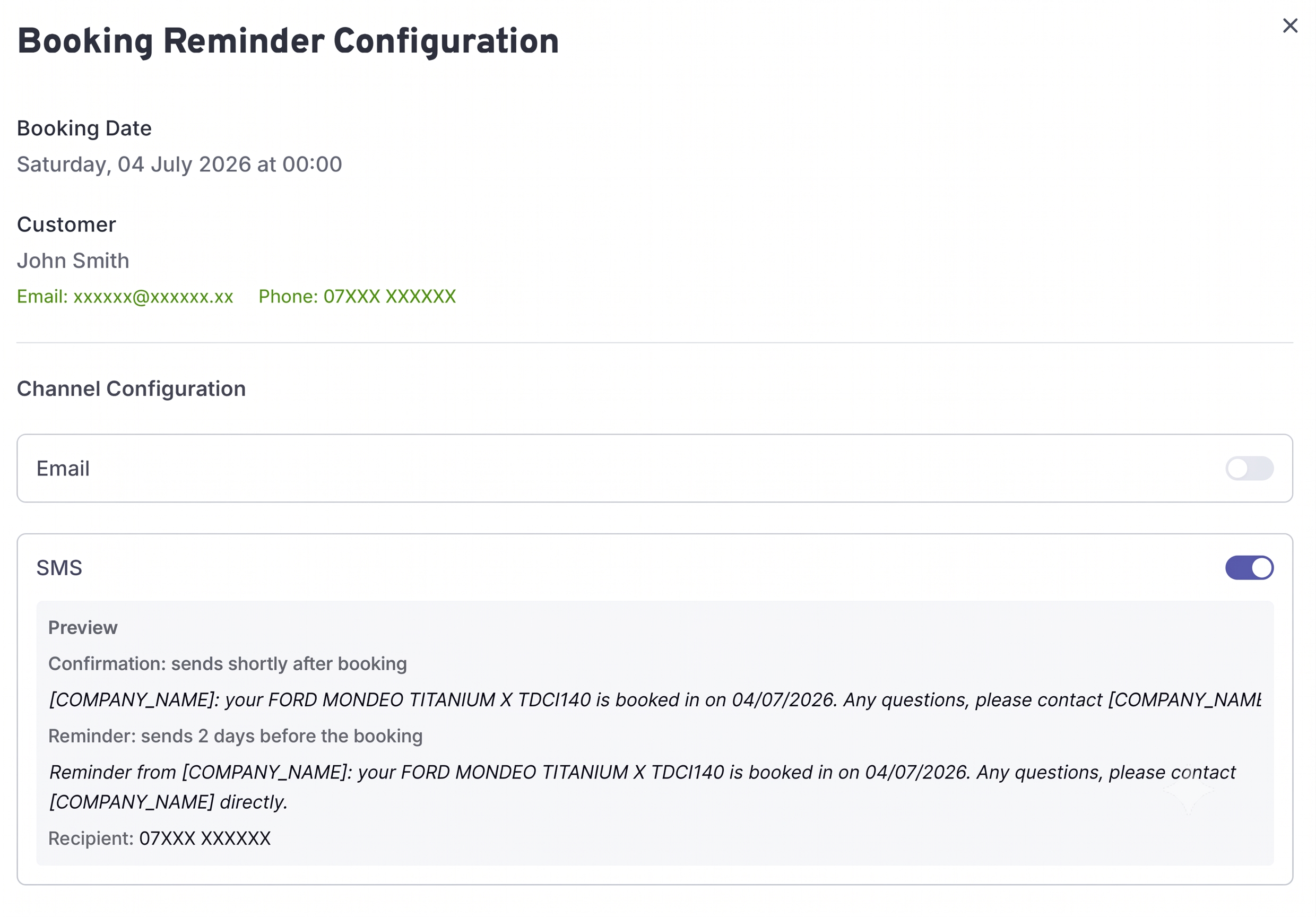
Email and SMS channels are configured independently — you can enable one, both, or neither for a given booking.